
A minimal purple-based soothing colorscheme (for neovim and much more!) inspired by daltonmenezes/aura-theme, but with different palettes and added variants for much more fun!
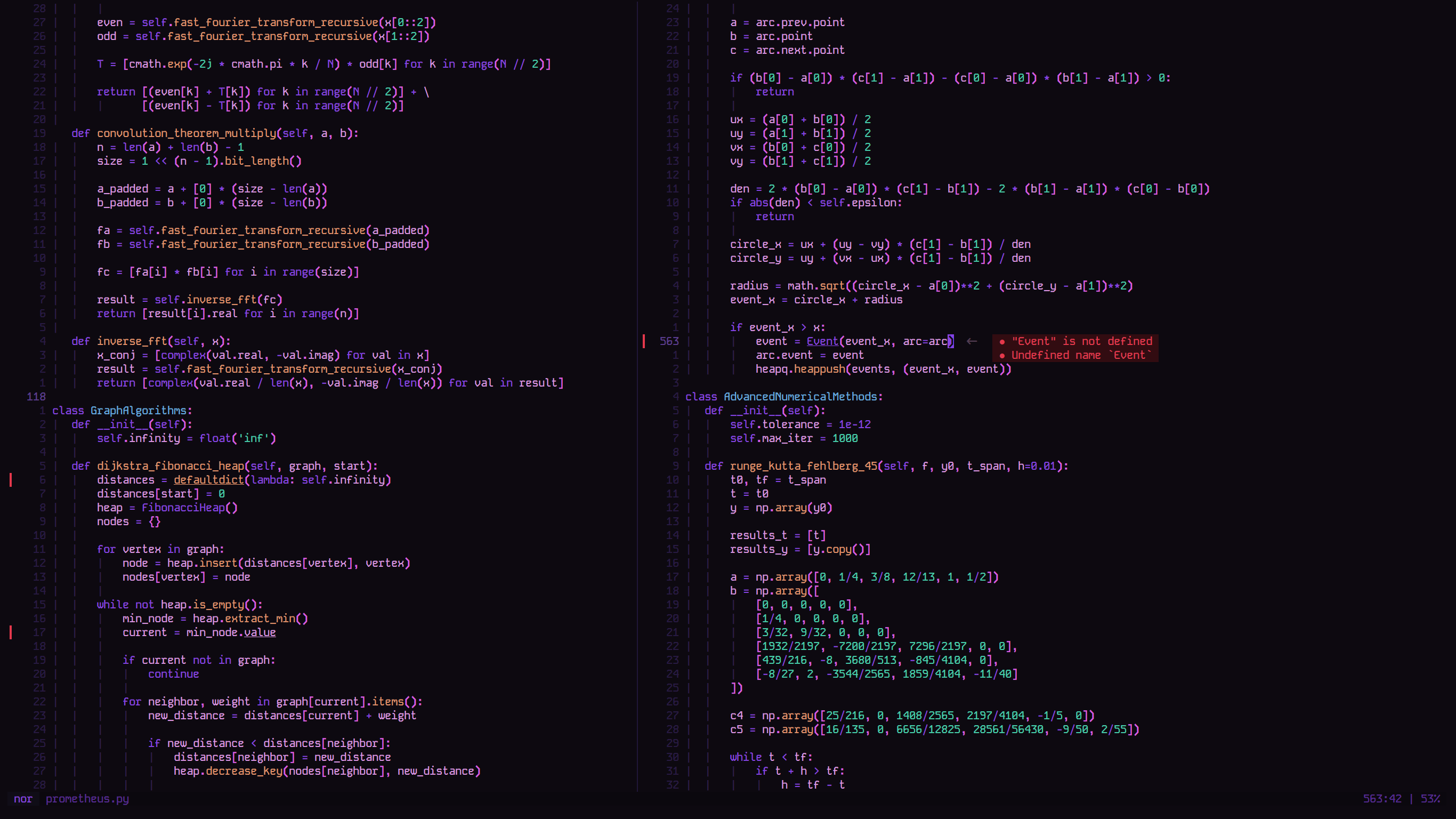
Grape Variant in Neovim
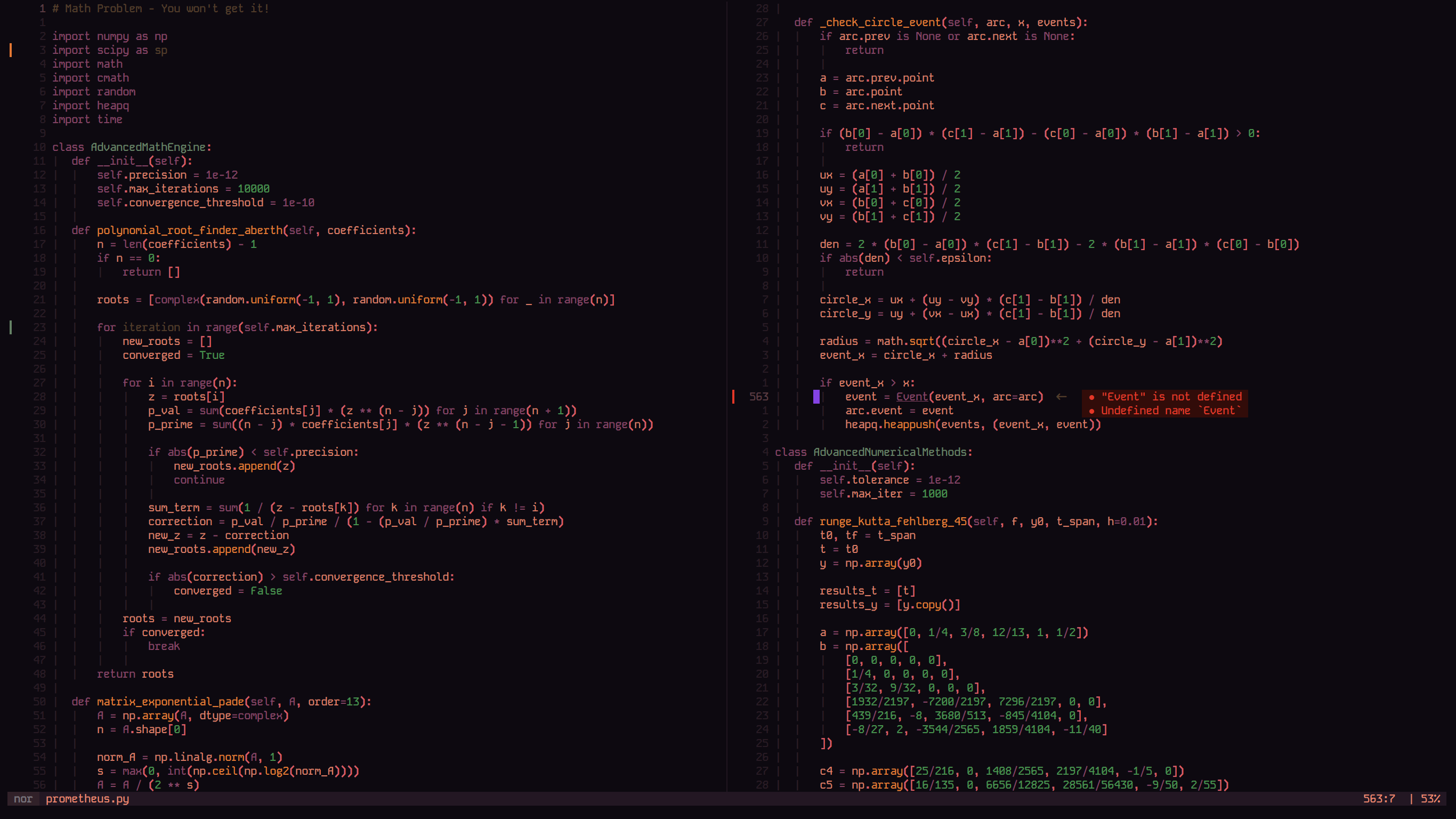
Pine Variant in Neovim
Features
- Multiple theme variants.
- Supports tons of major plugins.
- Provides support for numerous other applications.
- Does not have an accursed light mode.
Requirements
- Neovim: Version >= 0.8.0
- Patched Nerd Font(s) for glyph support (for extras)
Installation
Using vim.pack
-- vim.pack (Neovim 0.12+)
vim.pack.add({
  { src = "https://github.com/theamallalgi/zitchdog" },
})
Using folke/lazy.nvim
{
  "theamallalgi/zitchdog",
  lazy = false,
  priority = 1000,
}
Using wbthomason/packer.nvim
use "theamallalgi/zitchdog"Using junegunn/vim-plug
Plug "theamallalgi/zitchdog"Usage
require("zitchdog") loads lua/zitchdog/init.lua, the module's entrypoint.
It exposes two functions:
setup(opts)merges your table into the config defaults usingvim.tbl_deep_extend("force", ...). It only updates config in memory, it does not touch the editor.load(opts)is what actually applies the colorscheme. Ifoptsis passed, it callssetup(opts)internally first, then builds the palette for the configured variant and sets every highlight group.
If you're loading zitchdog via
colorscheme zitchdog-<variant>instead of callingload()directly, callsetup()with your config before that command runs. Thecolors/files just callload()with a hardcoded variant and nothing else, so anything you want applied has to already be in config by then.
Set the Colorscheme in your init.lua file or a specific plugin file etc.
-- To load the default theme (grape)
require("zitchdog").load()

-- To load a specific theme
require("zitchdog").load({ variant = "pine" })
Further Configuration
-- Default configuration
require("zitchdog").setup({
  variant = "grape", -- "grape" | "pine": the default colorscheme variant
  transparent_bg = false, -- boolean: toggles a transparent background
  disable_cursorline = false, -- boolean: hides CursorLine highlight by matching it to bg
  italic_comments = false, -- boolean: toggles italic comments
  fg = nil, -- string?: override the base foreground (defaults to the variant's white)
  bg = nil, -- string?: override the base background (defaults to the variant's black; ignored when transparent_bg = true)
  colors = {}, -- table<string, string>: override any specific palette color, e.g. { red = "#ff0000", purple = "#a277ff" }
})

-- To change the theme, you can use the `variant` option:
require("zitchdog").setup({
  variant = "pine",
})

-- Or load the theme directly:
require("zitchdog").load({ variant = "pine" })
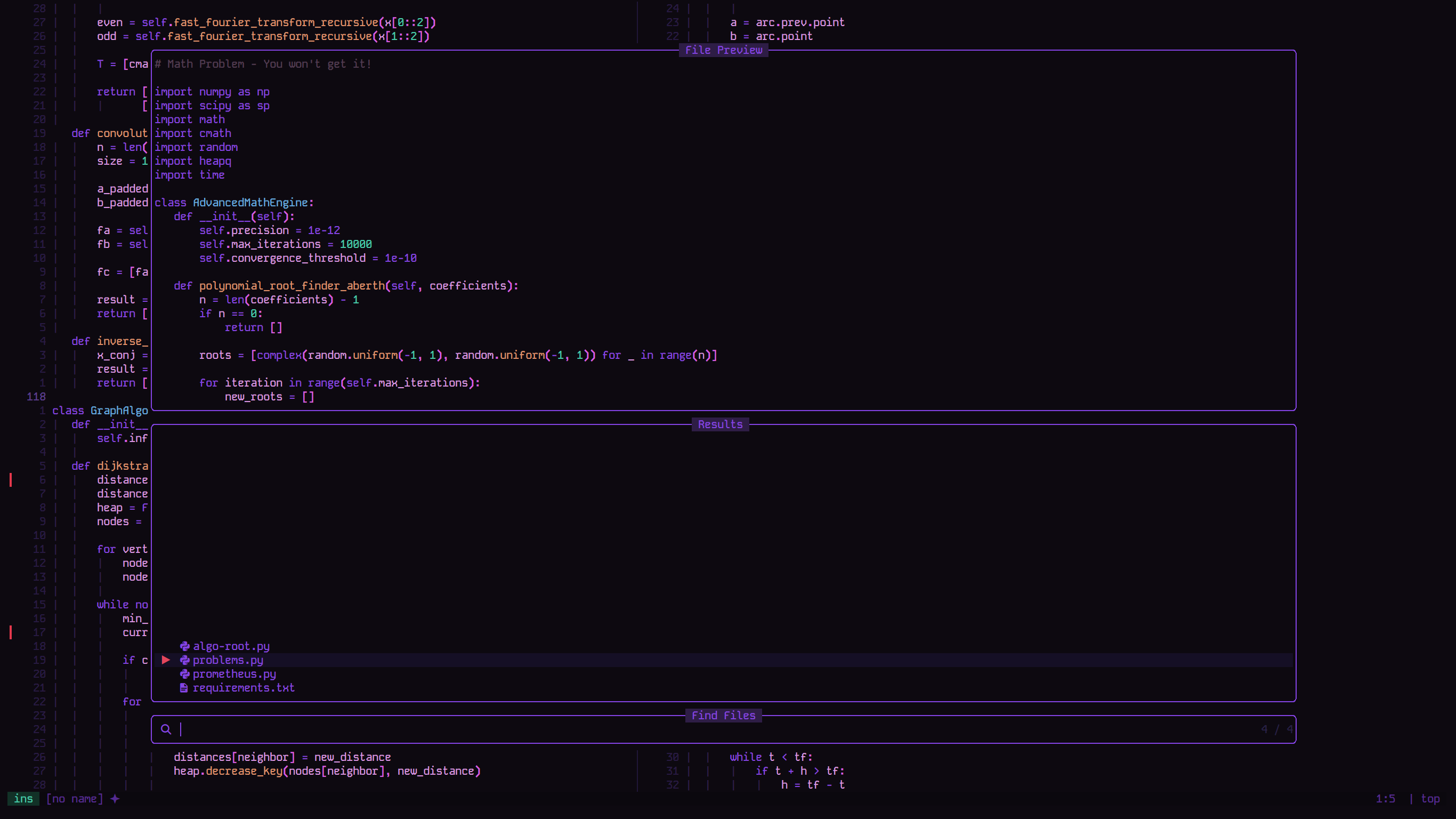
Grape Variant in Neovim (ft. Telescope)
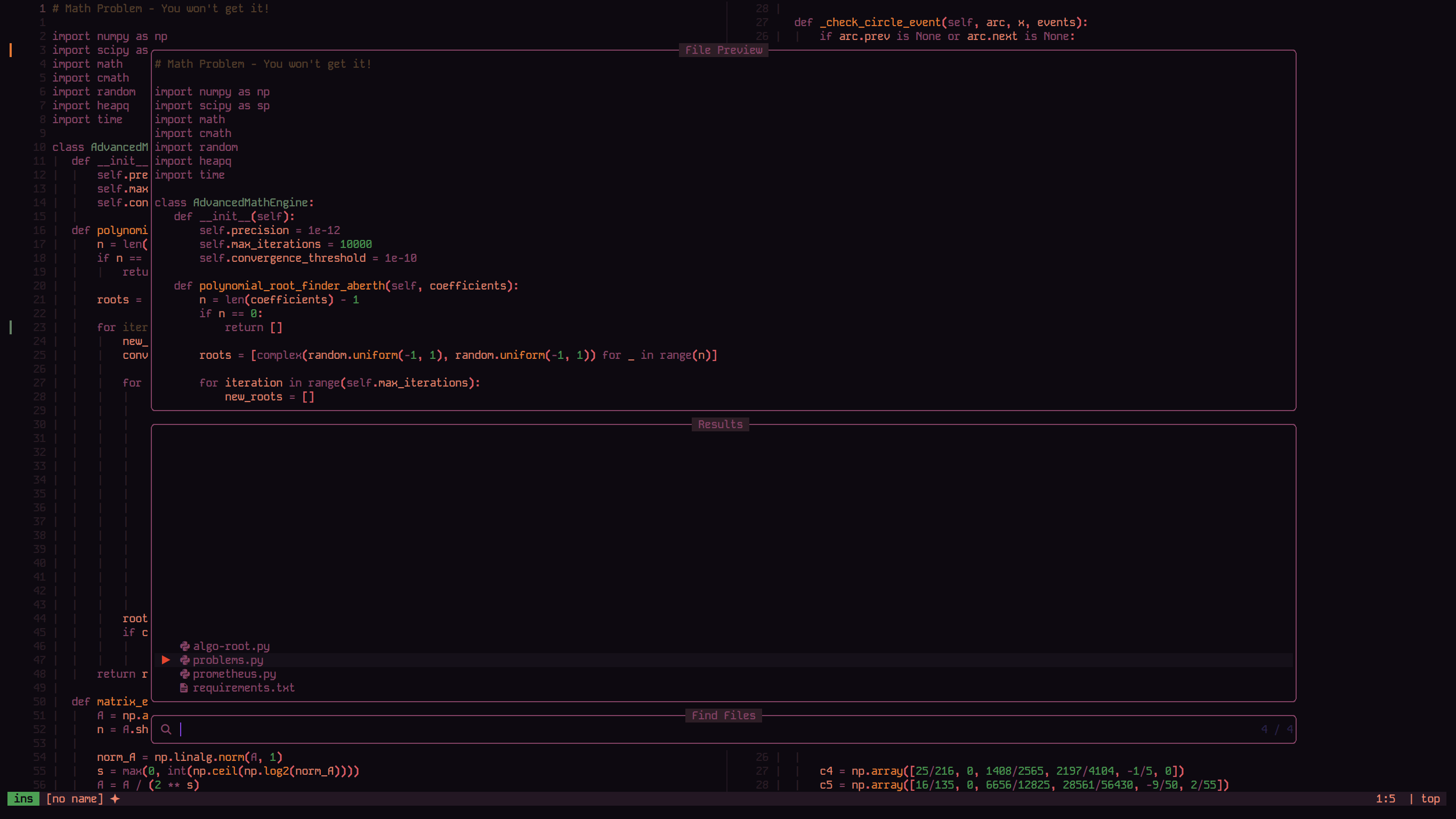
Pine Variant in Neovim (ft. Telescope)
Vim Support
Zitchdog also has a vim port.
Installation
You can install this color scheme using your favorite Vim plugin manager.
Vundle
Plugin 'theamallalgi/zitchdog.vim'Pathogen
git clone https://github.com/theamallalgi/zitchdog.vim.git ~/.vim/bundle/zitchdog.vimvim-plug
Plug 'theamallalgi/zitchdog.vim'Usage
To use the color scheme, add the following to your .vimrc file:
" Set the color scheme
colorscheme zitchdog
To select a variant, set the g:zitchdog_style variable before loading the color scheme. The available options are night, grape, and pine.
" Choose a variant (e.g., 'grape')
let g:zitchdog_style = 'grape'

" Set the color scheme
colorscheme zitchdog
More variants are on the way, see ya soon!